

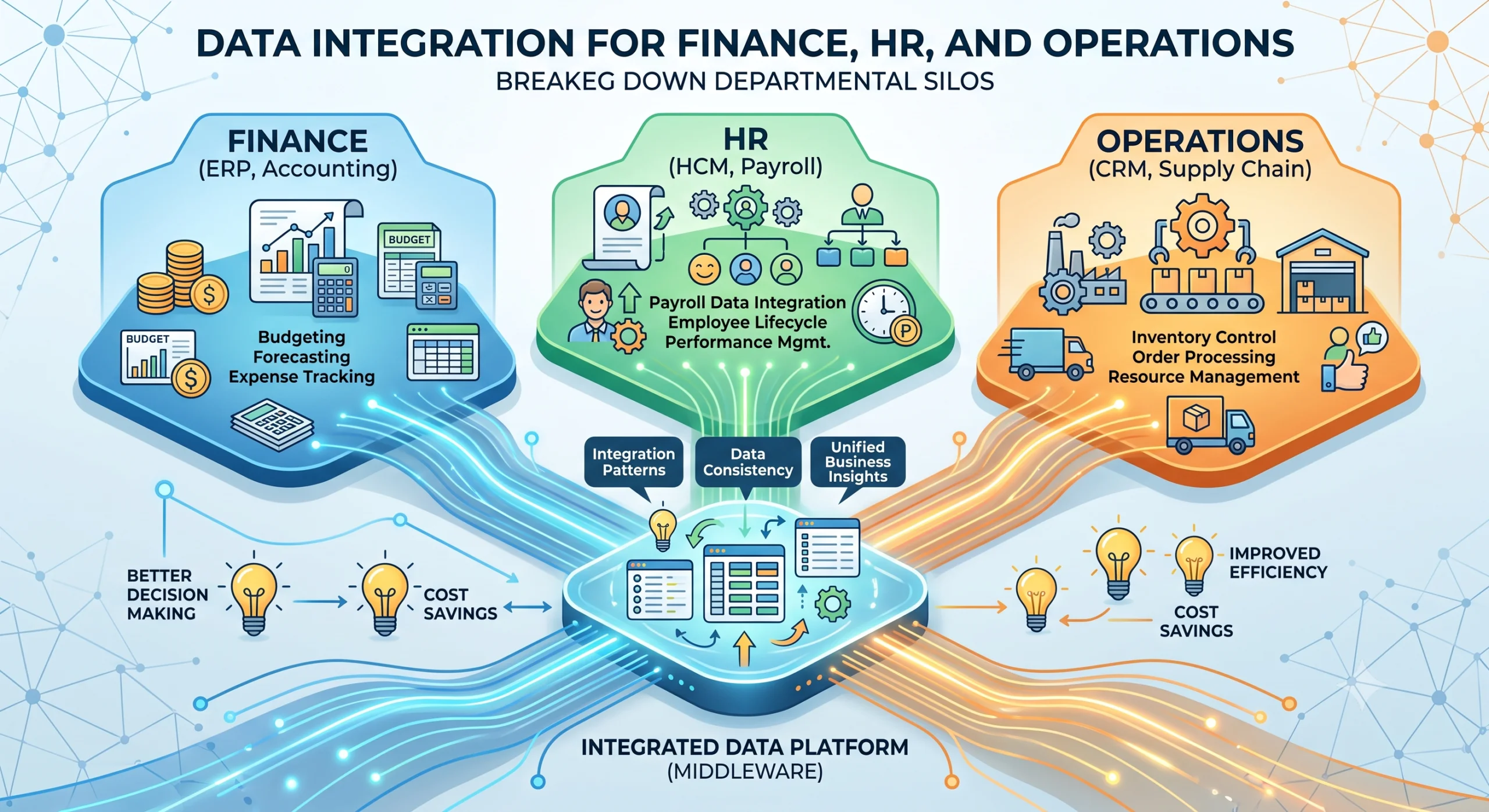
Most companies do not have a data problem. They have a data location problem. Finance records payroll in one system. HR tracks attendance in another. Operations logs shipments in a third. Each works fine on its own. The trouble starts the moment someone asks a question that spans departments. How much did last month’s overtime cost across all production lines? Which suppliers drive the variance in cost of goods sold? Answering those questions should take minutes. In most companies it takes days of manual reconciliation, spreadsheets emailed back and forth, and numbers that never quite agree. We have built enough of these integrations at Helixz Solutions to know the fix is not more software. It is connected data. This post shares what we have learned integrating data across finance, HR, and operations departments. Why Data Integration Across Departments Matters Departments do not exist in isolation, even though their software often pretends they do. The data each team produces is input for another team. Finance needs HR data for payroll. Salary components, attendance, overtime, and leave balances all flow from HR into payroll calculations and journal entries. Operations needs finance data for cost tracking. Production planning depends on material costs, labor rates, and overhead allocations that live in the finance system. HR needs operations data for workforce planning. Production schedules, shipment volumes, and seasonal demand patterns drive hiring and staffing decisions. When these data flows are manual, they are slow and error prone. When they are automated and reliable, the whole company makes decisions faster. The goal of cross-departmental data integration is not to build a single mega-system. It is to make sure each system has the data it needs, when it needs it, without a human copying it by hand. The Silo Problem The silo problem is the default state of most businesses. Each department selects software that fits its own needs. Finance picks a bookkeeping tool. HR picks an employee management system. Operations picks an inventory and shipment tracker. None of these were chosen with integration in mind. The symptoms are familiar: The same employee record exists in three systems with three slightly different names. Payroll runs late every month because HR sends attendance data in a spreadsheet that finance re-enters. Cost reports do not match between operations and finance because each team categorizes expenses differently. No one can produce a single view of labor cost per production line without a week of manual work. The root cause is not bad software. It is that no one defined how the systems should relate to each other. Each was implemented in isolation, optimized for its own department. Common Integration Patterns There is no single correct way to integrate systems. The right pattern depends on how many systems you have, how often data changes, and how much real-time accuracy you need. Here are the four patterns we see most often. Point-to-point integration Each system connects directly to each other system. Two systems means one connection. Five systems means ten connections. This pattern is simple to start with and becomes unmanageable fast. We use it only for two-system setups that will not grow. Middleware A central layer sits between all systems. Each system connects to the middleware once, and the middleware routes data between them. Add a new system and you connect it to the middleware, not to every other system. This scales better than point-to-point and gives you a single place to handle transformation and error logging. We use middleware for most multi-system integrations. Data warehouse All systems export their data into a central warehouse on a schedule. Reporting and analytics run against the warehouse, not the source systems. This pattern is best when the goal is reporting rather than real-time operations. It does not help if operations needs live data to make decisions. Event-driven integration When something happens in one system (an invoice is paid, an employee is hired, a shipment is dispatched), that system publishes an event. Other systems subscribe to the events they care about and react accordingly. This pattern is the most responsive and the most complex to build and operate. We use it when real-time updates are a genuine business requirement. Most real projects combine patterns. A common setup we build: event-driven sync for time-sensitive data, middleware for cross-system transformation, and a data warehouse for reporting. Finance Integration Specifics Finance integration is where accuracy matters most. A one-rupee error in payroll repeated across 500 employees becomes a visible problem. Here is what finance integration typically involves. Bookkeeping system connections The bookkeeping system (Xero, QuickBooks, or a local equivalent) is usually the destination, not the source. Data flows into it from other systems: payroll entries from HR, invoice data from operations, payment records from a payment gateway. We connect to the bookkeeping API to create journal entries, invoices, and payments programmatically. Invoice data Invoices often originate in operations or sales and must appear in finance. The integration pulls invoice headers, line items, tax codes, and customer details from the source system and creates a matching invoice in the bookkeeping system. The mapping has to handle tax categories carefully because a mismatch means incorrect tax filings. Payment reconciliation When a customer pays, the payment must be matched to the correct invoice. Bank feeds or payment gateway data come into the finance system, and the integration matches payments to invoices based on reference numbers, amounts, and dates. Unmatched payments go to a review queue. Tax compliance Tax rules change. In Sri Lanka, VAT rates and thresholds have shifted multiple times in recent years. Finance integration must apply the correct rate based on date, transaction type, and customer tax status. We build tax logic as a configurable layer, not hardcoded, so rate changes do not require code changes. HR Integration Specifics HR data is the foundation for payroll and workforce planning. It changes constantly as people join, leave, change roles, and record attendance. Employee management system The employee management system is the source of truth for who works at


