

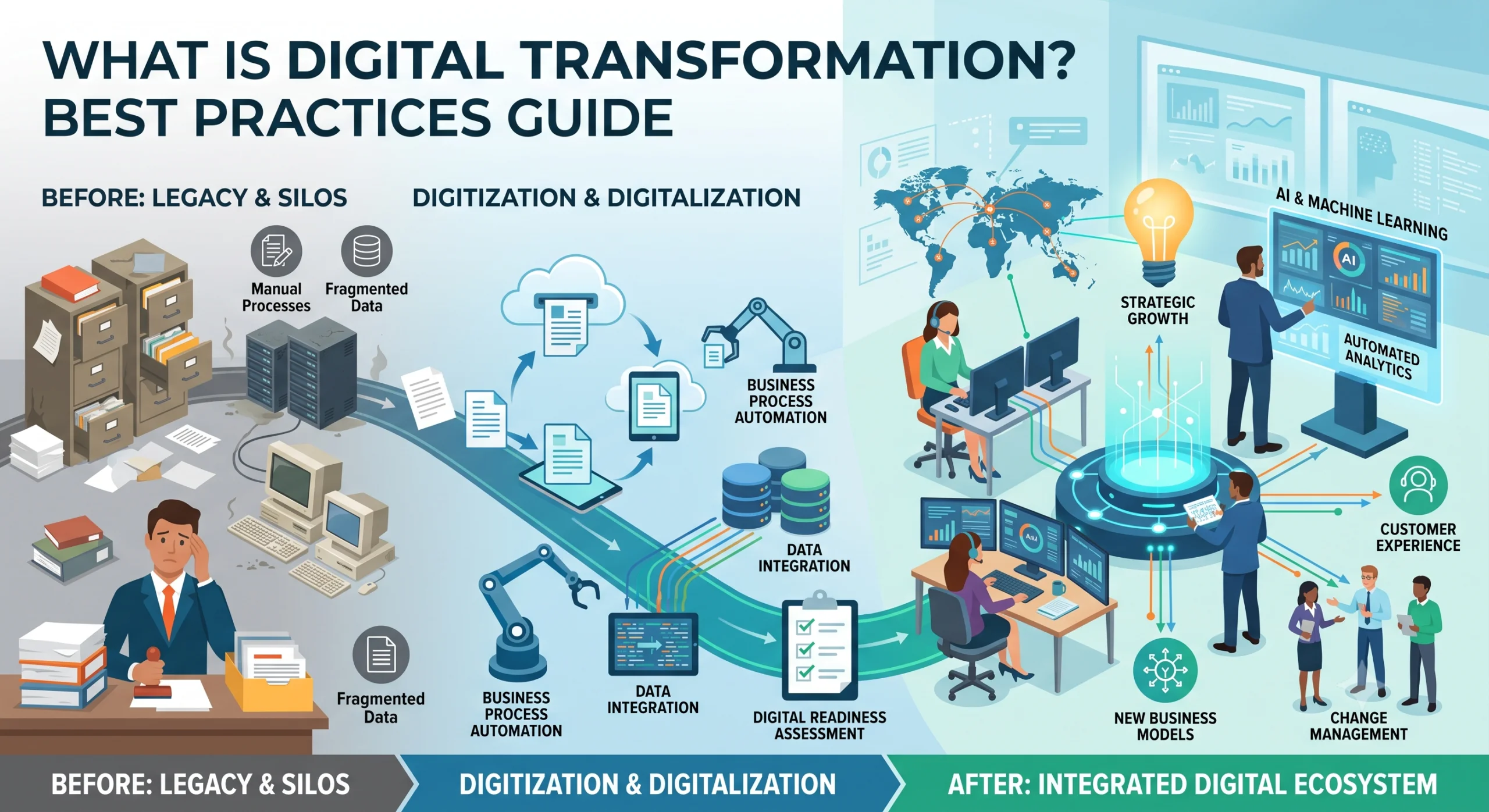
Digital transformation is one of those terms that gets thrown around so much it starts to mean nothing. Vendors use it to sell software. Consultants use it to sell services. Companies use it to describe anything they do with a computer. This guide cuts through that. We have built digital transformation projects for companies in Sri Lanka, including a major import-export company whose legacy system we replaced and integrated with their bookkeeping and HR systems. That work taught us what transformation actually involves, and what it does not. What Digital Transformation Actually Means Digital transformation is the process of using digital technology to fundamentally change how a business operates and delivers value. Not how it stores documents. Not which apps it uses. How it operates. The key word is fundamentally. If you scan paper invoices into PDFs, you have not transformed anything. You have moved the paper to a screen. If you rebuild your invoicing process so that invoices are generated, approved, sent, and reconciled automatically, and finance staff spend their time on exceptions instead of data entry, that is transformation. Transformation changes the work, not just the format. The Three Levels: Digitization, Digitalization, and Digital Transformation These three terms get used interchangeably, and that causes confusion. They are different things. Digitization is converting analog information to digital. Scanning a paper document into a PDF. Typing a handwritten ledger into a spreadsheet. The process does not change. Only the format does. Digitalization is using digital technology to change or improve a process. Instead of mailing invoices, you email them. Instead of tracking inventory in a notebook, you use a database. The process is reworked to use digital tools, but the underlying business model stays the same. Digital transformation is changing the business itself through digital technology. The processes change, the roles change, and sometimes the business model changes. A company that used to sell software as one-time licenses and now sells it as a subscription is not just digitalizing. The business has transformed. Most companies stop at digitization or digitalization and call it transformation. It is not. If your finance team still does the same work in the same way, just on a screen instead of on paper, you have digitized. You have not transformed. Common Mistakes Companies Make We have seen the same mistakes repeat across projects. Here are the ones that derail transformations most often. Starting With Technology Instead of Process The most common mistake. A company buys software first, then tries to fit their processes into it. The software dictates the process, instead of the process dictating the software. This fails because every company’s processes have reasons behind them. The way your operations team logs shipments, the way finance categorizes costs, the way HR tracks time, all of these evolved to handle real situations. When you force a new tool onto those processes without understanding them, you break things that were working and create new problems. The right order: understand the process, identify what is broken or wasteful, then choose or build technology that fixes those specific problems. Treating Transformation as an IT Project Digital transformation touches every department. When it lives in the IT department and gets treated as a technology rollout, it fails. IT can build and maintain the systems, but the people who do the work have to define what the systems should do. We have seen companies buy expensive platforms, hand them to IT to implement, and then wonder why adoption is near zero. The operations team was not involved. Finance was not involved. The tool does not match how they actually work. Transformation is a business project with a technology component, not the other way around. Trying to Do Everything at Once The big bang approach. A company decides to transform everything, sets a deadline, and tries to replace all systems and processes simultaneously. This fails for two reasons. First, no one can manage that much change at once. Second, when something breaks, and it will, you cannot isolate the cause. Was it the new system, the new process, the data migration, or the training gap? You will not know. Phased transformation works. Pick the highest-pain process, transform it, learn, then move to the next. Ignoring Data Quality New systems on top of bad data produce bad results faster. We worked on a project where the legacy system had years of inconsistent supplier records. Duplicates, misspellings, missing fields. If we had built integrations on that data without cleaning it first, every report and sync would have propagated the errors. Data cleanup is unglamorous and slow. It is also non-negotiable. No Change Management People do not resist technology. They resist change they did not ask for and do not understand. We added an employee ID selection step to an operations workflow as part of an integration project. The team pushed back because no one explained why. Once we involved them in the design and showed them how the data fed into productivity dashboards they actually wanted, adoption followed. If you do not plan for the human side, the technology side does not matter. Best Practices Start With Processes, Not Technology Before you evaluate a single tool, map your current processes. Find the bottlenecks, the manual workarounds, the places where errors happen. Those are your transformation targets. A good test: if you cannot describe the current process in detail, you are not ready to transform it. You are ready to disrupt it, which is different and usually worse. Get Buy-In From the People Doing the Work The people who do the work daily know where it breaks. They also know which proposed changes will help and which will create new problems. Involve them early. Not as a formality after you have decided, but as input before you decide. Show them prototypes. Listen when they say something will not work. They are usually right. Phase Your Approach Pick one process or one system. Transform it. Measure the results. Learn what worked and what did

Modernizing Legacy Systems in the Sri Lankan Import Export Sector
Custom Integration Case Study: Legacy Migration Lessons A large Sri Lankan import-export company came to us with a problem that should sound familiar. They had a legacy system holding their core operational data, and it could not talk to anything else. Bookkeeping lived in one tool. Employee management lived in another. The legacy system sat in the middle, isolated, with staff manually copying numbers between systems all day.This post walks through what we actually did, the parts that worked, the parts that hurt, and what we would do differently if we started over. The Client and the Problem The company operates across three sectors: metal, textile, and chemical imports and exports. That means shipments, customs paperwork, supplier payments, employee time tracking, and financial reconciliation all running in parallel, every day. Their legacy system had been in place for years. It stored shipment records, inventory movements, and supplier data. On its own, it functioned. The problem was everything around it. The bookkeeping system had no connection to operational data. Finance staff retyped invoice totals and shipment costs by hand. The employee management system had no link to operational work. Productivity reporting meant spreadsheets emailed back and forth. Manual entry created errors. Wrong decimal places, duplicated rows, missing shipments. Each error took hours to trace and fix. Reporting was reactive. By the time someone built a monthly summary in Excel, the data was already two weeks old. The company did not need a flashy new product. They needed their systems to share data, on schedule, with checks in place. That is the work we took on. Our Approach: Understand Before You Code The first instinct on a project like this is to start mapping APIs and writing sync jobs. We did not do that. We spent the first phase understanding the existing processes. We sat with the operations team and watched how a shipment moved through the system. We tracked a single metal shipment from supplier invoice, through customs, to warehouse receipt, to the finance team’s books. We did the same for textile and chemical flows. That exercise changed our plan. We had assumed the legacy system was the source of truth for shipment data. It was not. The operations team kept a parallel spreadsheet for chemical shipments because the legacy system could not handle batch numbers the way they needed. Any integration we built would have to account for that, or we would lose data. Lessons from this phase: Map the actual process, not the documented process. The two are rarely the same. Find the shadow systems. Spreadsheets, side databases, and manual workarounds exist because the official system has gaps. Talk to the people doing the data entry. They know where the errors come from better than anyone. Only after we understood the real flows did we start designing the integration. Phased Migration, Not Big Bang We did not rip out the legacy system in one go. A big bang migration on a company this size would have stopped operations for days and risked data loss nobody could afford. Instead, we phased it. Phase 1: Stand up the new system alongside the legacy system. We built the new operational system and ran it in parallel. New shipments went into both systems. This let us validate that the new system handled the data correctly without committing to it fully. Phase 2: Build the bookkeeping integration. Once the new system had live data, we connected it to the bookkeeping software. This was the highest-value integration because finance was spending the most time on manual entry. Phase 3: Build the employee management integration. With bookkeeping stable, we added the link to the employee management system for productivity tracking. Phase 4: Cut over. Only when all integrations were running and verified did we stop entering data into the legacy system. Each phase had a rollback plan. If the bookkeeping integration started sending bad data, we could disable the sync and fall back to manual entry for a day while we fixed it. That safety net mattered more than speed. The Integration Work This was the core of the project. Three pieces: the new operational system, the bookkeeping system, and the employee management system. Each connection had its own challenges. Connecting to the Bookkeeping System The bookkeeping software had an API, but it was not designed for the volume or the shape of data we needed to push. Invoice records in the operational system did not map cleanly to the journal entry structure the bookkeeping system expected. We had to build a data mapping layer. Each operational invoice became one or more journal entries, with account codes resolved based on shipment type and cost category. Metal shipments hit different accounts than textile shipments. Key decisions we made: Sync schedule: We ran the bookkeeping sync every 15 minutes during business hours. Real-time was unnecessary and would have overloaded the bookkeeping API. A 15-minute lag was acceptable to finance. Idempotency: Every sync record carried a unique reference. If the sync ran twice, the bookkeeping system would not create duplicate entries. This single decision prevented most of the data corruption issues we would have hit otherwise. Reconciliation reports: After each sync, we generated a report comparing what the operational system sent against what landed in the bookkeeping system. Discrepancies went to a queue for manual review. Connecting to the Employee Management System The employee management integration was different. Its job was to pull operational work data so productivity could be tracked per employee, per department, per shipment type. The challenge here was identity. The operational system tracked work by shipment reference and team. The employee management system tracked work by employee ID. We needed a mapping between the two. We solved this by adding an employee ID field to operational records at the point of entry. When a team member logged work on a shipment, they selected their employee ID from a dropdown sourced from the employee management system. That gave us a reliable join. This required a


