

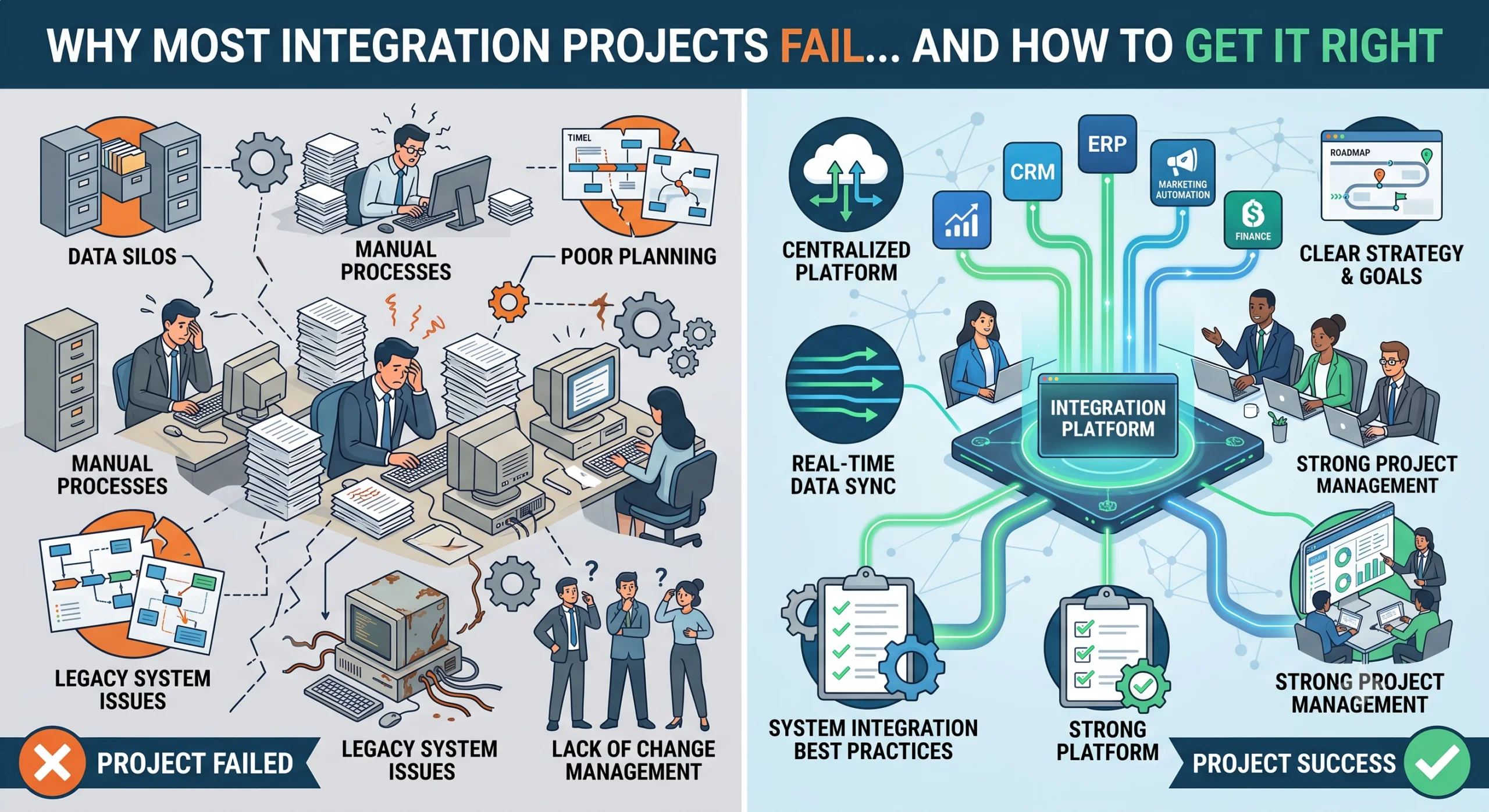
The Failure Statistics and Why They Happen
Industry studies have shown that a majority of IT projects fail to meet their objectives. Integration projects fail more often than most. A widely cited McKinsey finding on large IT transformations found that 70% fall short of their goals. Integration work is harder because it touches multiple systems, multiple teams, and data that nobody fully trusts.
We have seen integration projects fail in predictable ways. The technology is rarely the problem. The failures come from unclear requirements, bad data, untested assumptions, and people who were never brought into the process.
This post covers the seven reasons we see most often, and what to do differently.
Reason 1: Unclear Requirements and Scope Creep
Nobody wrote down what “done” means.
This is the most common failure. The project starts with a vague goal like “integrate our sales and inventory systems.” Everyone agrees. Nobody defines what that means in practice.
The sales team thinks it means real-time inventory checks during order entry. The inventory team thinks it means a nightly sync of stock levels. The IT team thinks it means a shared database. Three months in, everyone discovers they were building different things.
Scope creep follows naturally. Since nobody defined the boundary, every new request becomes “part of the integration.” The project grows, the timeline slips, and the budget breaks.
What to do instead
Write a one-page scope document before any work starts. It should answer:
- What systems are being integrated and why
- What data flows between them and in which direction
- What is explicitly out of scope
- What “done” looks like, with specific acceptance criteria
- Who signs off on completion
If a new request comes in, it goes through change control. It either replaces something in the current scope or it becomes a phase two item. Scope is a contract, not a suggestion.
Reason 2: Messy Data
Integrating bad data just moves the problem faster.
We worked on a project connecting a CRM to an ERP. The CRM had 40,000 customer records. Roughly 8,000 were duplicates. Another 3,000 had incomplete addresses. The plan was to sync these records to the ERP, which would have propagated every error.
Data quality problems do not fix themselves during integration. They get worse because now the bad data exists in two systems instead of one.
Common data problems we encounter
- Duplicate records with slightly different names (ABC Ltd, ABC Limited, A.B.C. Ltd)
- Missing required fields that the target system needs
- Inconsistent formats (dates as DD/MM/YYYY in one system, MM/DD/YYYY in another)
- Orphaned records that reference data that no longer exists
- Free-text fields where people typed whatever they wanted
What to do instead
Run a data audit before integration begins. Profile the source data to understand its actual state. Fix data quality issues at the source, not in the integration layer. A data cleaning step in the middle is a bandage, not a solution.
Build validation rules into the integration so bad data is caught and flagged, not silently passed through.
Reason 3: Undocumented Legacy Processes
The person who built the old system left five years ago. The system runs on tribal knowledge.
We inherited an integration project where the source system was a custom-built application from 2012. The original developer had left the company. There was no documentation. The only person who understood it was an accountant who had learned its quirks over eight years.
She knew, for example, that the system recalculated inventory every night at 2am, and that any record changed after that would not reflect until the following night. None of this was written anywhere.
Legacy systems are full of this kind of invisible logic. If you integrate without understanding it, you will build something that works in testing and breaks in production.
What to do instead
Document the existing process before designing the integration. Interview the people who use the system daily. Map the data flow, including the manual steps and workarounds. Identify the hidden rules, the batch jobs, and the exceptions.
This documentation becomes the foundation for the integration design. Skipping it means you are integrating against assumptions, not facts.
Reason 4: Weak Testing
No parallel runs, no reconciliation, no real user testing.
Testing is where integration projects die quietly. The team runs a few sample records through the integration, sees them come out the other side, and declares success. Then it goes live and the edge cases appear.
What proper testing looks like
We insist on three levels of testing:
- Unit testing: Each component of the integration works on its own. Field mappings, transformations, error handling.
- End-to-end testing with real data: Pull a representative sample from production, run it through the full integration, and compare input to output.
- Parallel runs: Run the old process and the new integration side by side for a defined period. Compare the results. Any difference is a bug.
Parallel runs are the most valuable and most skipped step. They catch the problems that unit testing cannot because they expose the integration to real-world data variety and volume.
Reconciliation and real user testing
For financial integrations, reconciliation is non-negotiable. If you move financial data between systems, the totals must match. We build automated reconciliation checks that compare source and target after every sync. If they do not match, the integration stops and alerts someone.
Let the people who will use the integrated system test it before it goes live. Not the project team. The actual operators. They will find the problems you cannot because they know how the work really happens.
Reason 5: No Change Management
The new system works but nobody uses it because they were not involved.
We delivered an integration that connected a company’s order management system to their warehouse system. Orders would flow automatically. The warehouse team did not need to re-enter anything. It worked perfectly in testing.
Three months later, the warehouse team was still entering orders manually. When we asked why, the answer was: “We do not trust it.”
They had never been part of the design. They had never tested it. They had been told it was coming, not asked what they needed. So they kept doing what they knew worked, and the integration sat unused.
What to do instead
Involve users from the start. Not in a token “we will show you the demo” way. Bring them into requirements sessions. Let them test early versions. Listen to their concerns and address them.
Communication matters as much as technology. People need to understand what is changing, why, and where to get help. The project ends when people have adopted the new way of working, not when the code ships.
We build a change management plan for every integration that includes:
- Stakeholder identification and communication schedule
- Training sessions with real scenarios, not feature tours
- A feedback channel for the first weeks after go-live
- A named owner who can fix issues quickly
Reason 6: Picking the Wrong Partner
Choosing on price instead of integration experience.
Integration is a specific skill. It is not general software development with some API calls thrown in. A team that builds great web apps may struggle with integration because the challenges are different: data quality, error handling, idempotency, rate limits, versioning, monitoring.
Companies often pick the cheapest bid. The cheapest bid usually comes from a team that has not done enough integration work to know what they are missing. They will discover the problems during the project, on your budget.
Signs of an inexperienced partner
- They estimate the project without asking about data quality
- They have no testing strategy beyond “we will test it”
- They cannot show you a previous integration they built
- They treat error handling as an afterthought
- They do not ask about API rate limits or versioning
What to look for instead
Look for a partner with proven integration work. Ask for case studies. Ask what went wrong on previous projects and how they handled it. A partner who has never had a project go sideways has not done enough projects.
Evaluate their technical depth: do they understand async vs sync patterns, idempotency, retry logic, monitoring. Ask how they handle a scenario where the source system is down during a sync. If they do not have a clear answer, keep looking. You also need a partner who tells you about problems early, not after they have compounded.
Reason 7: Ignoring API Limitations
Rate limits, versioning, downtime.
APIs are the connective tissue of modern integrations. They are also the source of failures when their limitations are ignored.
Rate limits
Every API has limits on how many requests you can make in a given time window. If your integration does not respect those limits, it will get throttled or blocked. We have seen integrations that worked perfectly in testing fail in production because testing used a small dataset and production hit the rate ceiling within minutes.
Plan for rate limits from the design phase. Implement backoff and retry logic. Monitor API usage and alert before you hit the limit.
API versioning
APIs change. A field gets renamed, an endpoint gets deprecated, a response structure shifts. Your integration needs to handle version changes without breaking.
We pin our integrations to specific API versions and track deprecation notices. When a version is being retired, we plan the migration as a separate project, not an emergency fix on a Friday afternoon.
Downtime and reliability
Source systems go down. Networks fail. If the source system is unavailable during a sync, the integration should retry, not fail silently and lose data. Build monitoring that detects when a sync has not run or has failed, with alerts for the operations team. A failed sync that nobody notices is worse than no integration because it creates false confidence that data is current.
How to Get It Right
The reasons above are all preventable. A well-run integration project has six characteristics:
- Clear scope: A written document with acceptance criteria, signed off before work begins.
- Phased approach: Start with the highest-value, lowest-risk integration. Prove the approach works, then expand. Each phase delivers something usable, not a half-finished whole.
- Strong ownership: One person on the client side owns the project, with authority to make decisions and sign off on completion. Not a committee.
- Test with real data: Unit tests, end-to-end tests with production data samples, parallel runs, and real user testing. This is the difference between a launch and a fire.
- Involve users early: Users participate in requirements, test early versions, and are trained before go-live. Their feedback shapes the integration, not just their approval at the end.
- Pick the right partner: Case studies, technical depth, clear communication, and post-launch support. The cheapest bid is rarely the cheapest project.
What to Look for in an Integration Partner
Real case studies
Ask for specific examples of integration work they have delivered. Not “we do integrations” but “here is a system we connected, here is what it solved, here is what we learned.” If they cannot show you this, they have not done it.
Technical depth
Do they understand data modeling, error handling, idempotency, retry logic, monitoring, and API constraints. Can they explain their approach to each. Technical depth shows in how they answer questions about failure scenarios, not success scenarios.
Communication and post-launch support
Do they tell you about problems early and provide regular progress updates. Communication is not a soft skill in integration projects. It is how you avoid finding out about a three-month delay in week twelve.
Integration does not end at go-live. Source systems change, APIs evolve, data grows. You need a partner who supports the integration after launch, monitors for issues, and fixes them. Ask what their post-launch support looks like before you sign.
The Cost of Getting It Wrong vs the Value of Getting It Right
Getting it wrong is expensive. You spend months of effort and budget, deliver something that does not work or that nobody uses, and end up back where you started with less money and less trust in the process. The team that lived through the failed project will resist the next one.
Getting it right pays for itself. Connected systems reduce manual work, eliminate data entry errors, speed up decisions, and give you visibility you did not have before. The operations team saves hours every week. The finance team trusts the numbers. Executives make decisions on current data instead of last month’s spreadsheet.
The difference between failure and success is not luck. It is scope, testing, data quality, user involvement, and choosing a partner who has done this before.
FAQ
Why do integration projects fail so often?
Integration projects fail because of unclear requirements, poor data quality, weak testing, lack of user involvement, and underestimating the complexity of connecting systems. The technology is usually fine. The failures are in planning, communication, and execution.
How long should an integration project take?
It depends on the number of systems, data complexity, and data quality. A single integration between two systems with clean data can take four to six weeks. A multi-system integration with legacy systems and data issues can take several months. Deliver value early with a phased approach rather than waiting months for everything at once.
What is a parallel run and why does it matter?
A parallel run means operating the old process and the new integration side by side for a set period, then comparing the results. It catches problems that testing with sample data misses because it exposes the integration to real-world data volume and variety. Any difference between old and new output is investigated before go-live.
How do we choose the right integration partner?
Look for proven case studies, technical depth in integration specifically, clear communication, and post-launch support. Ask what went wrong on previous projects and how they handled it. Avoid choosing on price alone. The cheapest bid often costs the most in the long run.
Conclusion
Integration projects fail for reasons that are well understood and entirely preventable. Unclear scope, bad data, weak testing, no change management, the wrong partner, and ignored API constraints are the seven causes we see repeatedly.
Getting it right is not complicated, but it requires discipline. Write down the scope. Audit the data. Test with real data and real users. Involve the people who will use the system. Pick a partner who has delivered integrations before and can prove it.
Do these things and your integration project will do what it is supposed to do: connect your systems, reduce manual work, and give your teams data they can trust and act on.


